Maven创建webapp骨架无法使用@WebServlet来实现注解配置解决方案
利用maven创建web项目,默认不支持@WebServlet注解配置,甚至不支持El表达式(在web 3.0版本之后才支持),所以在写servlet 时想使用@WebServlet进行url-pattern配置是不能够完成的。
解决方案:
1.改变web.xml文件头来更改web工程版本
在本地仓库找到org\apache\maven\archetypes\maven-archetype-webapp\1.4
(更多…)
2020java框架教程之mybatis动态sql
1.if
需求:
1.查询已激活的,并且博客的名字是包含某个查询字符串的记录
2.如果用户没有输入任何查询字符串,那么就显示所有已激活的博客
mapper:
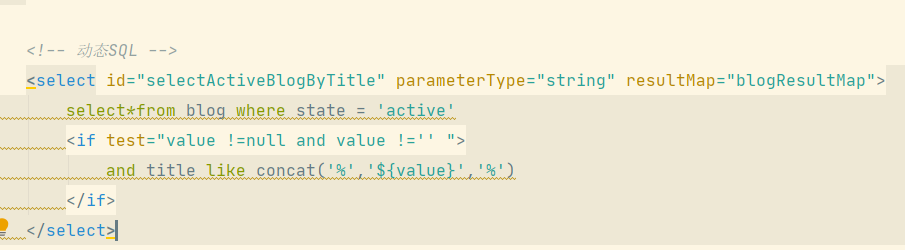
<select id="selectActiveBlogByTitle" parameterType="string" resultMap="blogResultMap">
    select*from blog where state = 'active'
    <if test="value !=null and value !='' ">
        and title like concat('%','${value}','%')
    </if>
</select>
2020java框架教程之mybatis的增删改查CRUD
查询:
mapper:
<!-- 通过 id 查询用户 -->
<select id="selectUser" resultType="Users" parameterType="int">
    select * from users where id = #{id}
</select>
<!--  设置 ResultMap -->
<resultMap id="usersResultMap" type="Users">
    <id column="id" property="id" jdbcType="INTEGER"/>
    <!-- 将 password 设置 pwd 为别名 -->
    <result column="pwd" property="password" jdbcType="VARCHAR"/>
</resultMap>
<!--  通过 resultMap 查询用户 -->
<select id="selectUser2" resultMap="usersResultMap" parameterType="int">
    select * from users where id = #{id}
</select>
 (更多…)
2020java框架教程之mybatis删除
<!-- 删除 -->
<delete id="deleteUsers" parameterType="int">
    delete from users where id=#{id}
</delete>
@Test
public void test12(){
    SqlSession sqlSession = MybatisUtils.getSqlSession();
    UsersDao mapper = sqlSession.getMapper(UsersDao.class);
    int i = mapper.deleteUsers(12);
    if(i>0) System.out.println("删除成功");
    else System.out.println("删除失败");
    sqlSession.commit();
    sqlSession.close();
}
2020java框架教程之mybatis修改
<!--修改 -->
<update id="updateUsers" parameterType="Users">
    update users set password=#{password} where id=#{id}
</update>
@Test
public void test11(){
    SqlSession sqlSession = MybatisUtils.getSqlSession();
    UsersDao mapper = sqlSession.getMapper(UsersDao.class);
    Users users=new Users();
    users.setId(1);
    users.setPassword("admin666");
    int i = mapper.updateUsers(users);
    if(i>0) System.out.println("修改成功");
    else System.out.println("修改失败");
    sqlSession.commit();
    sqlSession.close();
    System.out.println(users);
}
2020java框架教程之mybatis获取刚刚插入的id(自增)
一:插入记录
需求:新增一个用户
DDL操作
二:获取自增id
<insert id="insertUsers" parameterType="Users" useGeneratedKeys="true" keyProperty="id">
    insert into users(username,password,rolename,identity,mobile)
    values(#{username},#{password},#{rolename},#{identity},#{mobile})
</insert>
2020java框架教程之mybatis参数传递
一、分页
方式1:使用索引
按照参数的顺序,从0开始
select*from users limit #{0},#{1}
方式2:使用注解
select*from users limit #{start},#{pageSize}
List<Users> selectUsersPage2(
@Param(value = “start”) int start,
@Param(value = “pageSize”) int pageSize);
方式3:使用Map
2020java框架教程之mybatis模糊查询和排序
1.模糊查询
需求:根据对方的用户名查询信息(模糊查询)
方式1:使用 #传参
<select id="selectUsersName" parameterType="string" resultMap="usersResultMap">
    select *from users where username like #{username}
</select>
方式2:使用 $ 传参
<select id="selectUsersName2" parameterType="string" resultMap="usersResultMap">
    select *from users where username like '%${value}%'
</select>
注意:当使用$传参时,如果参数是单值属性,并且只有一个参数,那么参数必须使用 value 占位
2020java框架教程之mybatis实体类属性
列名和属性名不一致的情况
1.使用别名
<select id="selectUser2" resultType="Users" parameterType="int">
    select username as uname,password from users where id = #{id}
</select>
2.使用ResultMap
<?xml version="1.0" encoding="UTF-8" ?>
<!DOCTYPE mapper PUBLIC "-//mybatis.org//DTD Mapper 3.0//EN"
        "http://mybatis.org/dtd/mybatis-3-mapper.dtd">
<mapper namespace="mybatis.dao.UsersDao">
    <!-- 设置 ResultMap -->
    <resultMap id="usersResultMap" type="Users">
        <id column="id" property="id" jdbcType="INTEGER"/>
        <!-- 将 password 设置 pwd 为别名 -->
        <result column="pwd" property="password" jdbcType="VARCHAR"/>
    </resultMap>
    <!-- 通过 resultMap 查询用户 --> (更多…)
2020java框架教程之Mybatis入门
大纲:
1.Mybatis 持久层:简化工作量,灵活
2.spring 粘合剂:整合框架、AOP、IOC、DI
3.SpringMVC 表现层:方便前后端数据的传输。
1.什么是Mybatis
a.Mybatis是对jdbc的封装
b.将SQL语句放在映射文件中(xml)
c.自动将输入参数映射到sql语句的动态参数上
d.自动将sql语句执行的结果映射成java对象
2.Mybatis入门
a.创建web项目
b.导入相关依赖:
(更多…)