手机扫码查看
2020javaweb教程之JavaScript的json对象
json概述
json(JavaScript object notation)JavaScript对象表示,是一种轻量级的数据交换格式。
json语法:
[] :表示数组
{} : 表示对象
” ” :表示是属性名或字符串类型的值
: 表示属性和值之间的间隔符
, 表示多个属性的间隔符或者是多个元素的间隔符
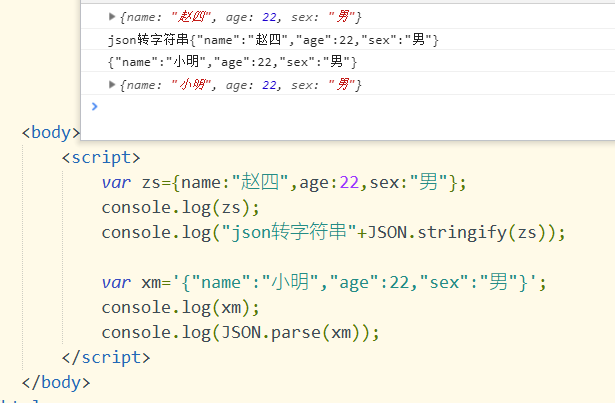
<script>
var zs={name:”赵四”,age:22,sex:”男”};
console.log(zs);
console.log(“json转字符串”+JSON.stringify(zs));
var xm='{“name”:”小明”,”age”:22,”sex”:”男”}’;
console.log(xm);
console.log(JSON.parse(xm));
</script>
FastJson解析
//JSON字符串 实体类的属性名要和JSON字符串名称完全一致
String json1="{'id':1,'name':'JAVA-1910'," +
        "'stus':[" +
        "{'id':101,'name':'关羽','age':19}," +
        "{'id':102,'name':'黄忠','age':22}" +
        "{'id':103,'name':'赵云','age':33}"+
        "]}";
//JSON字符串转换为实体类对象
Grade grade = JSON.parseObject(json1, Grade.class);
ArrayList<Student> stus = grade.getStus();
for (Student student : stus) {
    System.out.println(student);
}
System.out.println(grade);
//---实体类转换为JSON字符串
ArrayList<Student> students=new ArrayList<>();
Student stu=new Student(107,"诸葛亮",55);
students.add(new Student(104,"张飞",25));
students.add(new Student(105,"貂蝉",28));
students.add(new Student(106,"妲己",35));
students.add(stu);
students.add(stu);
Grade g=new Grade(2,null,students);
//如果属性和值为null 不参与解析
//控制不序列化某些属性 在 实体类属性上加
// @JSONField(serialize=false)  默认是true
美化输出 SerializerFeature.PrettyFormat
{
	"id":2,
	"name":"",
	"stus":[
		{
			"age":25,
			"id":104,
			"name":"张飞"
		},
		{
			"age":28,
			"id":105,
			"name":"貂蝉"
		},
		{
			"age":35,
			"id":106,
			"name":"妲己"
		},
		{
			"age":55,
			"id":107,
			"name":"诸葛亮"
		},
		{
			"age":55,
			"id":107,
			"name":"诸葛亮"
		}
	]
}
null值也输出 SerializerFeature.WriteMapNullValue
null值将输出 空字符串 SerializerFeature.WriteNullStringAsEmpty
循环引用检测 SerializerFeature.DisableCircularReferenceDetect
String s = JSON.toJSONString(g,
SerializerFeature.PrettyFormat,
SerializerFeature.WriteMapNullValue,
SerializerFeature.WriteNullStringAsEmpty,
SerializerFeature.DisableCircularReferenceDetect);
System.out.println(s);
Jackson解析
//JSON字符串
String json1="{\"id\":1,\"name\":\"JAVA-1910\",\"stus\":" +
        "[{\"id\":101,\"name\":\"关羽\",\"age\":19}," +
        "{\"id\":103,\"name\":\"赵云\",\"age\":33}]}";
//1.Jackson 创建对象
ObjectMapper mapper=new ObjectMapper();
try {
    //2.调用方法进行转换  有异常
    Grade grade = mapper.readValue(json1, Grade.class);
    ArrayList<Student> stus = grade.getStus();
    for (Student student : stus) {
        System.out.println(student);
    }
    System.out.println(grade);
} catch (IOException e) {
    e.printStackTrace();
}
//----对象转换为JSON
ArrayList<Student> students=new ArrayList<Student>();
students.add(new Student(104,"张飞",25));
students.add(new Student(105,"貂蝉",28));
students.add(new Student(106,"妲己",35));
Grade g=new Grade(1,"JAVAEE-1911",students);
try {
    String s = mapper.writeValueAsString(g);
    System.out.println(s);
} catch (JsonProcessingException e) {
    e.printStackTrace();
}
@JsonIgnore注解用于排除某个属性,这样该属性就不会被Jackson序列化和反序列化
//美化输出
mapper.enable(SerializationFeature.INDENT_OUTPUT);
// 允许序列化空的实体类(否则会抛出异常)
mapper.disable(SerializationFeature.FAIL_ON_EMPTY_BEANS);





发表回复