手机扫码查看
2020java微服务架构三之NGINX反向代理
1.NGINX安装
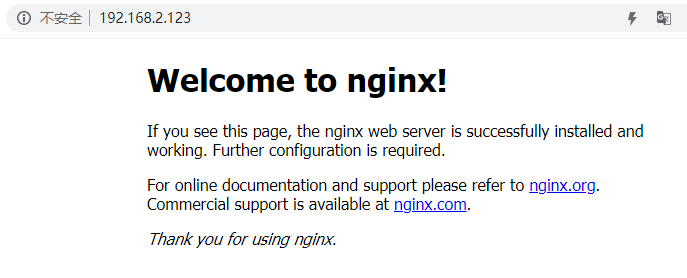
1.安装NGINX:
mkdir /opt/docker_nginx
cd /opt/docker_nginx
vi docker-compose.yml
docker-compose up -d
docker-compose.xml
version: '3.1'
services:
  nginx:
    restart: always
    image: daocloud.io/library/nginx:latest
    container_name: nginx
    ports:
      - 80:80
2.NGINX配置文件
进入容器内部
docker ps
docker exec -it 容器id bash
cd /etc/nginx/
cat nginx.conf
复制文件中代码:
#全局块
worker_processes 1; #数值越大,NGINX并发能力越强
error_log /var/log/nginx/error.log warn; #代表NGINX的错误日志存放的位置

#events块
events {
  worker_connections 1024;#数值越大,NGINX并发能力越强
}

#http块
http {
  include /etc/nginx/mime.types; #include代表引入一个外部的文件;mime.types中存放大量的媒体类型
  default_type application/octet-stream;
  #server块 default.conf:
  server {
    listen 80; #listen:代表NGINX监听的端口号
    server_name localhost; #localhost:代表NGINX接收请求的ip
    #location块
    location / {
      root /usr/share/nginx/html; #root:将接收到的请求根据/usr/share/nginx/html去查找静态资源
      index index.html index.htm; #index:默认去上述的路径中找到index.html 或index.htm
    }
  }
  include /etc/nginx/conf.d/*.conf; #引入了conf.d目录下的以.conf为结尾的配置文件
}
3.NGINX的反向代理
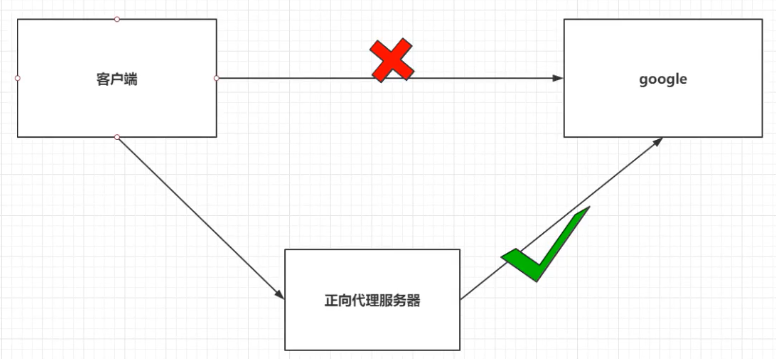
正向代理:
1.正向代理服务是由客户端设立的
2.客户端了解代理服务器和目标服务器都是谁
3.帮助咱们实现突破访问权限,提高访问的速度,对目标服务器隐藏客户端的ip地址
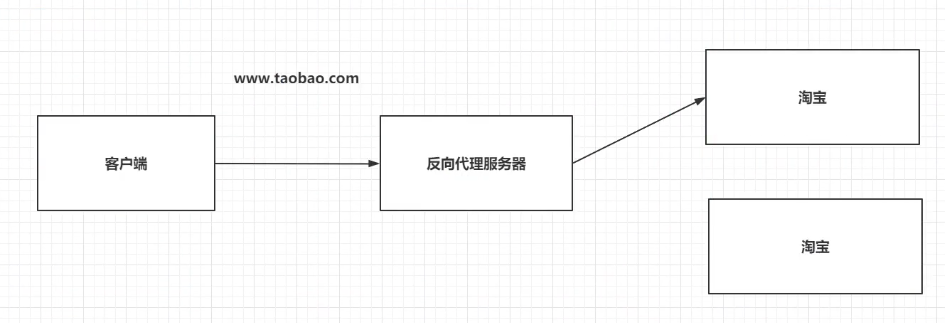
反向代理:
1.反向代理服务器是配置在服务端的
2.客户端不知道访问的到底是那一台服务器
3.达到负载均衡,并且可以隐藏服务器真正的ip地址
基于NGINX实现反向代理
准备一个目标服务器,启动了之前的Tomcat服务器
正向代理:
cd /opt/docker_mysql_tomcat/
docker-composr up –
cd tomcat_webapps/
mkdir ROOT
vi index.html
反向代理:
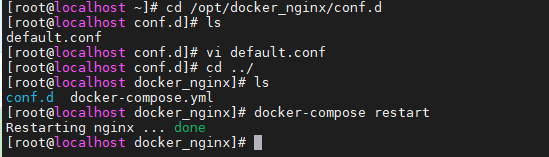
cd /opt/docker_nginx/conf.d
vi default.conf
server{
  listen 80;
  server_name localhost;

  #基于反向代理访问到Tomcat服务器
  location / {
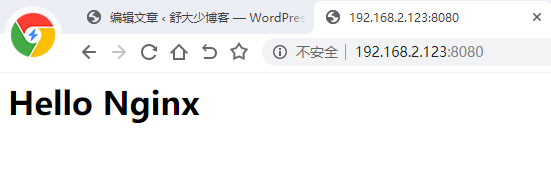
    proxy_pass http://192.168.2.123:8080/;
   }

 # location / {
 #   root /usr/share/nginx/html;
 #   index index.html index.htm;
 # }
}
然后 cd ../
docker-compose restart
关于NGINX的location路径映射
优先级:
location = >location /xxx/yyy/zzz>location ^~>location ~,~*>location /起始路径>location /
1. =精准匹配
location = / {
#精准匹配,主机名后面不能带任何的字符串
}
2. / 通用匹配
location /xxx{
#匹配所有以 /xxx 开头的路径
}
3. ~ /xxx 正则匹配
location ~ /xxx{
#匹配所有以 /xxx 开头的路径
}
4. ^~ /images/ 匹配开头路径
location ^~ /images/ {
#匹配所有以 /images 开头的路径
}
5.~* \. (gif|jpg|png)$
location ~* \. (gif|jpg|png)$ {
#匹配以gif或者jps或png为结尾的后缀
}
4.NGINX负载均衡
1.轮询:
将客户端发起的请求,平均的分配给每一台服务器
2.权重:
会将客户端的请求根据服务器的权重值不同,分配不同的数量
3.ip_hash:
基于发起请求的客户端ip地址不同,它始终会将请求发送到指定的服务器上
1.轮询:
想实现NGINX轮询负载均衡机制只需要在配置文件中添加以下内容
upstream my-server{
  server 192.168.2.123:8080;
  server 192.168.2.123:8081;
}
server{
  listen 80;
  server_name localhost;
  location / {
    proxy_pass http://my-server/;
  }
}
cd ../
docker-compose restart
2.权重
实现权重的方式
upstream my-server{
  server 192.168.2.123:8080 weight=10;#weight是权重
  server 192.168.2.123:8081 weight=2;
}
server{
  listen 80;
  server_name localhost;
  location / {
    proxy_pass http://my-server/;
  }
}
cd ../
docker-compose restart
3.ip_hash
upstream my-server{
  ip_hash;
  server 192.168.2.123:8080 weight=10;#weight是权重
  server 192.168.2.123:8081 weight=2;
}
server{
  listen 80;
  server_name localhost;
  location / {
    proxy_pass http://my-server/;
  }
}
cd ../
docker-compose restart
5.NGINX动静分离
NGINX并发能力公式:
worker_processes * worker_connections /4 | /2 = NGINX最终的并发能力
动态资源需要 /4,静态资源需要 /2
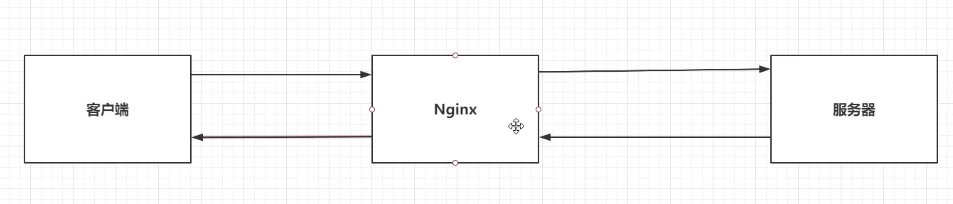
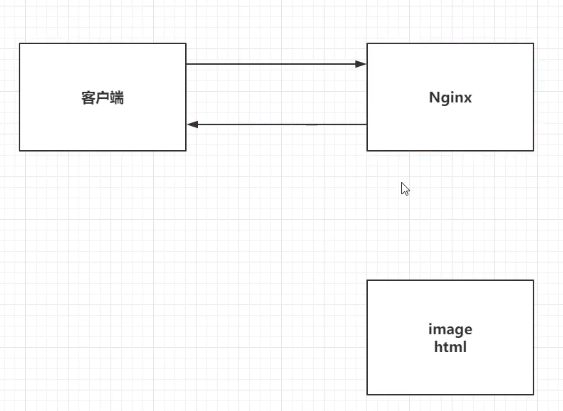
NGINX通过动静分离,来提升NGINX的并发能力,更快的给用户响应。
动态资源代理
location / {
  proxy_pass 路径;
}
静态资源代理
location / {
  root 静态资源路径;
  index 默认访问路径下的什么资源;
  autoindex on;#代表展示静态资源下的全部内容,以列表的形式展开
}
先修改docker,添加一个数据卷,映射到NGINX服务器的一个目录
6.NGINX集群
单点故障,避免NGINX的宕机,导致整个程序的崩溃。
准备多台NGINX,准备keepalived,监听NGINX的健康情况。
准备haproxy,提供一个虚拟的路径,统一的去接收用户的请求。
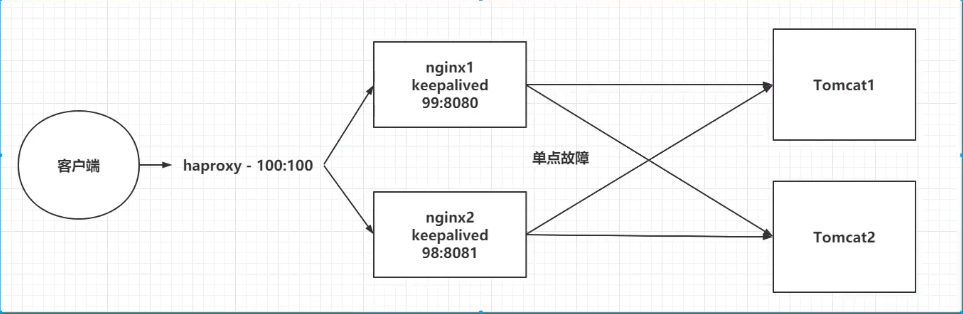
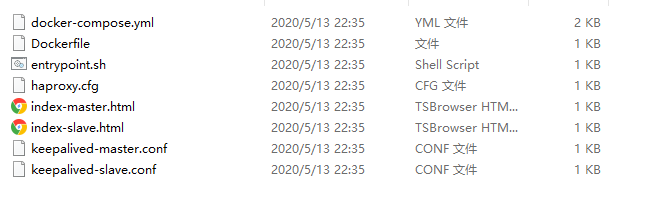
在opt目录下创建 docker_nginx_cluster
将文件放入到该文件夹下,然后启动容器 docker-compose up -d
文件地址:nginx-cluster.zip





发表回复